Here is the uncomfortable version of JavaScript SEO: an early version of my own website was close to invisible to the AI crawlers I was telling clients to care about. The page looked finished in a browser. What it actually sent was an almost empty file and a script that built the page afterwards. Google would eventually run that script. ChatGPT's crawler would not.
JavaScript SEO is the work of making sure content built with JavaScript can still be found, read and indexed. This guide explains what Google does with JavaScript, what AI crawlers do instead, what I measured on 50 real sites, and how to check and fix your own in an afternoon.
What JavaScript SEO actually means
Every web page reaches a visitor in one of two ways, and the difference decides most of JavaScript SEO.
- Server-side rendering (SSR) or static HTML. The server sends a finished page. The words, headings and links are already in the HTML file. Anything that reads the file, a person or a bot, gets the content immediately.
- Client-side rendering (CSR). The server sends a nearly empty shell, often a single
<div id="root"></div>, plus a JavaScript bundle. The visitor's browser runs the bundle, and only then does the page appear.
In a browser the two look identical, which is why the problem hides so well. The difference only shows up for a visitor that does not run JavaScript. That visitor sees the shell, and a shell has nothing to rank, quote or cite.
React, Vue and Svelte apps built as single-page applications render on the client by default. So do many sites made with AI website builders. Frameworks such as Next.js, Nuxt and Astro can send finished HTML instead, but only if the site is set up that way. The framework name alone tells you nothing: you have to look at what the server actually sends.
How Google handles JavaScript: crawl, render, index
Google does run JavaScript. Google's own documentation is clear that it processes JavaScript web apps in three main phases: crawling, rendering and indexing.
The important detail is the gap between the first two. Googlebot fetches the HTML, then places the page in a queue to be rendered by a headless Chromium browser. In Google's words:
The page may stay on this queue for a few seconds, but it can take longer than that. (Google Search Central, JavaScript SEO basics)
So a client-rendered page does get indexed by Google, but in two passes, and anything that goes wrong in the second pass (a script error, a blocked file, a slow API call) can leave Google with the empty shell. Google also warns that it won't render JavaScript from blocked files, so a robots.txt rule that blocks your JavaScript or CSS folders quietly blanks your pages for it.
Google's own advice, in the same guide, is not to rely on that second pass:
not all bots can run JavaScript. (Google Search Central, JavaScript SEO basics)
That sentence is the whole argument of this post. Google can cope with JavaScript. Most of the other systems that read your site cannot.
Do AI crawlers render JavaScript?
No. This is the part most JavaScript SEO advice was written too early to cover. Vercel and MERJ analysed crawler traffic across Vercel's network and published the results in December 2024. Their finding on rendering was unambiguous:
none of the major AI crawlers currently render JavaScript. (Vercel and MERJ, The rise of the AI crawler)
The list they tested includes OpenAI's GPTBot, OAI-SearchBot and ChatGPT-User, Anthropic's ClaudeBot, and PerplexityBot. They found the crawlers do fetch JavaScript files but do not execute them. Two exceptions are worth knowing: Google's Gemini uses Googlebot's infrastructure, so it renders like Google, and Applebot renders pages through a browser-based crawler.
For a client-rendered site, that means the answer engines people increasingly ask instead of searching read the empty shell. If your text is not in the HTML, ChatGPT, Claude and Perplexity have nothing of yours to quote.
Two honest caveats. That study is from late 2024, and crawlers change; it is the best published measurement I know of, not a permanent law. And some platforms now pre-render pages only for crawlers they recognise. Lovable's documentation, for example, describes pre-rendering for verified search and AI crawlers on older apps. That helps the crawlers on the list and nobody else: link previews, smaller AI tools and anything new still get the shell.
What I measured on 50 AI-built sites
To see how common this is, on 20 September 2026 I measured 50 sites taken, in order, from the public showcases of three AI website builders: 20 from Lovable, 17 from Bolt and 13 from Replit. Each homepage was fetched twice: once as a plain request with no JavaScript, the way an AI crawler reads it, and once in a headless browser with JavaScript, the way a person sees it. Then I counted the visible words in each.
Sites with too little content to judge, or that could not be reached, are left out. 32 of the 50 could be judged.
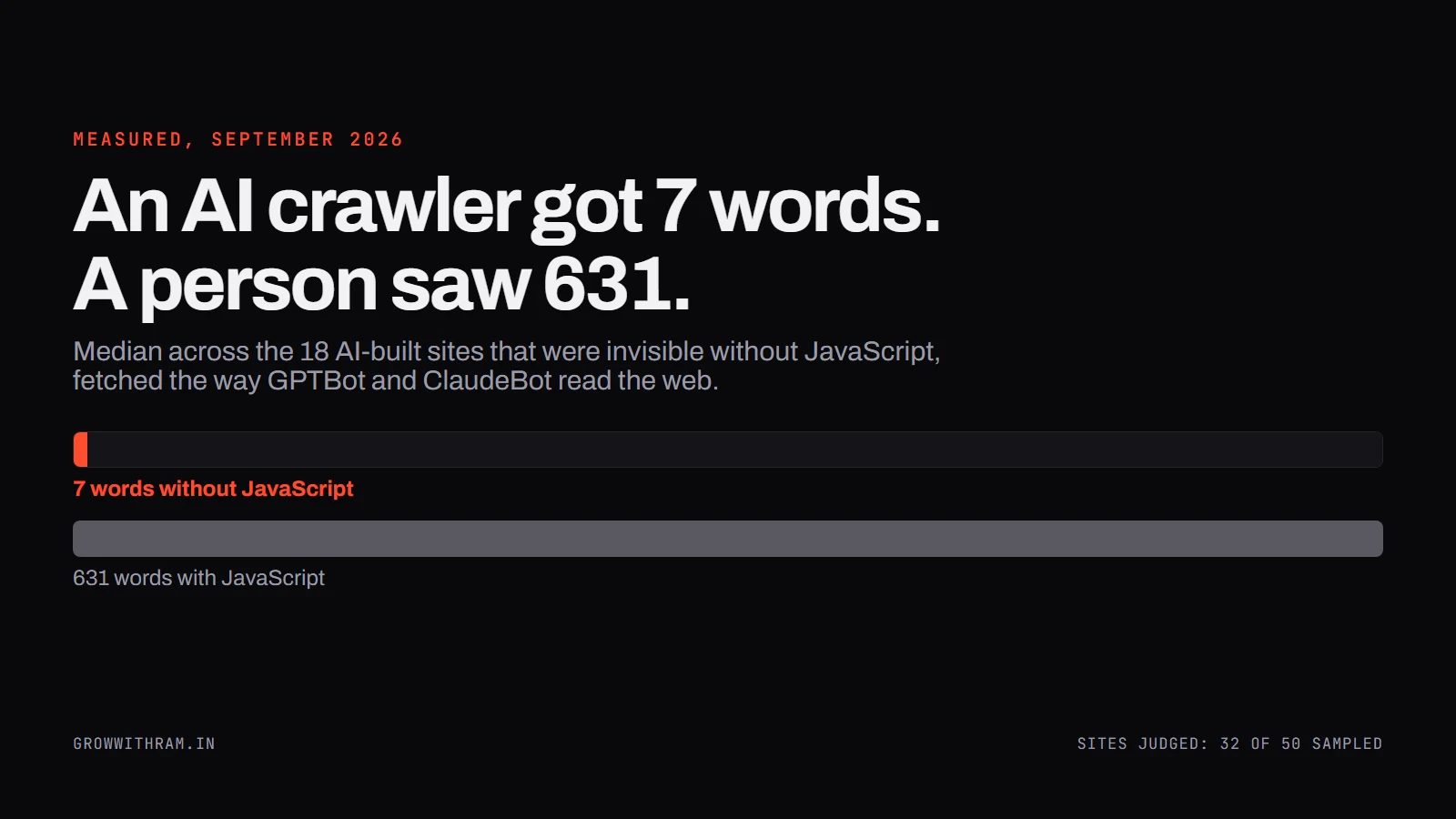
Eighteen of those twenty sent a crawler between 1 and 11 words. The other two showed part of their text. The sites were not broken. In a browser they were full pages, with a median of 631 words. They were simply built to assemble themselves in the browser.
The head tags look fine, which is the trap
Here is what makes this problem survive so many audits. The parts of the page that SEO tools check first were almost always present, even on the sites that sent no content at all.
| In the HTML a crawler receives | Sites (of 38 fetched) |
|---|---|
| A title tag | 37 |
| A meta description | 36 |
| A canonical tag | 22 |
| An H1 heading | 15 |
| An empty root div waiting for JavaScript | 20 |
A checklist that looks at titles and meta descriptions passes these sites. The page body is what is missing. Among the 20 JavaScript-dependent sites, only 2 had an H1 in the HTML at all, and 17 shipped the empty root div. The full method, sample rule and raw results are in the 50-site study.
What this does not show: 50 homepages from three showcases is a sample that says the problem is common, not how common across the whole web, and inner pages may differ from homepages.
My own site had the same problem
I found this on my own site before I found it on anyone else's. The first version of one of my pages, a page called /future, was a client-rendered shell. The HTML it sent was 1,984 bytes, and my own name appeared in it exactly twice, both times inside meta tags. Everything a reader saw was built by JavaScript afterwards.
For a site whose whole pitch is being readable by search engines and AI, that was a live counter-argument to its own copy. So I had the site rebuilt to publish every page as finished HTML: a build step now turns the site's content into complete pages before anything goes live, and nothing on a page needs JavaScript to exist. The animations and the chat assistant still use JavaScript. The words do not.
You can check that claim yourself: open any page on growwithram.in, press Ctrl+U (Cmd+Option+U on a Mac) and search the source for a sentence you can see on the page. It will be there.
How to check your own site in five minutes
You do not need an SEO tool for the first check. You need the difference between what your server sends and what your browser shows.
- View the page source. Open the page, press Ctrl+U, and use Ctrl+F to search for a sentence from the middle of the page. If it is not in the source, a crawler that does not run JavaScript cannot see it.
- Look for the shell. If the source is mostly script tags and an empty
<div id="root">or<div id="app">, the page is client-rendered. - Check what Google rendered. In Search Console, use URL Inspection, then View crawled page, and read the HTML. That is Google's second pass: it tells you whether Google's rendering worked, not what AI crawlers saw.
- Check your robots.txt. Make sure it does not block the folders your JavaScript and CSS load from. Google will not render with files it is not allowed to fetch.
- Repeat on one page of every template: homepage, a product or service page, a blog post, a category page. Rendering problems belong to templates, so one page per template covers the site.
If you are comfortable in a terminal, one command gives you the crawler's-eye word count:
curl -s https://yoursite.com/ | sed -e 's/<[^>]*>/ /g' | tr -s ' \n' ' ' | wc -wIn the study, I counted a page with under 50 words by that measure as invisible to a crawler.
How to fix it: server rendering, pre-rendering, or a workaround
There are three real options, and one of them is a stopgap.
| Approach | What a crawler receives | Use it when |
|---|---|---|
| Server-side rendering (SSR) | The full page, built on each request | Content changes often or is personalised |
| Static generation / pre-rendering | The full page, built ahead of time | Content changes when you publish: most marketing sites and blogs |
| Dynamic rendering | A pre-rendered copy, served only to recognised bots | Only as a temporary bridge while you migrate |
For most business websites, pre-rendering is the simplest answer: the pages rarely change between publishes, so build them once and serve finished HTML to everyone. Next.js, Nuxt, Astro and similar frameworks all support it. On an AI builder, check what the platform offers now: Lovable's documentation, for one, says new apps have used server-side rendering since 13 May 2026.
Google is direct about the third option:
Dynamic rendering is a workaround and not a recommended solution (Google Search Central, Dynamic rendering as a workaround)
It only helps the bots your server recognises, and it gives you two versions of every page to keep in step. Use it to buy time, not as the fix.
None of this means removing JavaScript. The Vercel study makes the practical point well: client-side rendering still works for enhancement features such as counters, chat widgets and interactive elements. The rule is narrower and easier than "no JavaScript": the words you want found must be in the HTML.
JavaScript SEO best practices: a checklist
Once the content is in the HTML, these are the checks that catch the rest. Each comes from Google's JavaScript SEO guide or from what I see in audits.
- Links are real links. Google says it can only discover your links if they are
<a>elements with anhref(Google on crawlable links). A button with an onclick handler is not a link to a crawler. - Routes use real URLs, not fragments.
/servicesis a page;#/servicesis not. Single-page apps should use the History API. - Missing pages return a real 404. A client-side app that shows "not found" with a 200 status creates soft 404s. Google's guide gives two fixes: redirect to a URL that returns 404, or add a noindex tag to the error view.
- Title, description and canonical are in the initial HTML. JavaScript can set them, but Google says the best way to set the canonical is in HTML, and that JavaScript should not change it to a different URL.
- Nothing important waits for a click. Text that only loads when someone opens a tab or presses a button may not be seen by a crawler, which does not click.
- JavaScript and CSS are crawlable. No robots.txt rule blocking the files a page needs to render.
- Structured data is in the HTML where possible. Google can read JSON-LD that JavaScript injects; AI crawlers that do not run JavaScript cannot.
What a JavaScript SEO audit checks
The five-minute check tells you whether you have a problem. An audit tells you where it is, how much of the site it touches, and what to fix first. When I audit a JavaScript site, the work follows the same two-fetch method as the study above, applied to every template rather than one homepage.
- Raw against rendered, per template. For each page type, compare the HTML the server sends with the page after JavaScript runs: word count, headings, links and images. The gap between the two is the size of the problem, and it is almost always a template problem, not a page problem.
- Links that only exist after rendering. If navigation, related posts or pagination only appear once JavaScript runs, a crawler that does not render finds far fewer pages. Count the internal links in both versions of each template.
- Head tags in both versions. Title, description, canonical and robots meta can differ between the raw and the rendered page. A canonical or noindex that JavaScript changes after load is one of the more damaging findings, because it can quietly contradict the one in the HTML.
- Status codes on missing pages. Request a URL that should not exist. A single-page app that answers with 200 and a friendly "not found" message is creating soft 404s.
- robots.txt against the page's own files. Check that nothing a page needs to render is blocked, and separately, which AI crawlers you allow at all.
- What Google actually rendered. URL Inspection on one page per template, compared with what the browser shows. If Google's rendered HTML is missing content, the problem is in the rendering itself, not only in the crawlers that skip it.
Every finding comes with the page it was seen on and a way to check it yourself, because a rendering problem is easy to claim and easy to disprove. If a finding cannot be reproduced from outside, it does not go in the report.
What to do next
JavaScript SEO used to be a Google-only problem with a Google-only answer: be patient, the renderer will get there. The arrival of AI crawlers that never run JavaScript changed that. Today a client-rendered page is indexed late by Google and read as empty by most of the systems that answer questions on the web.
Start with the five-minute check on one page of each template. If the text is in the source, you are fine and can move on to the checklist. If it is not, that is the single highest-value technical fix on the site, because every other piece of SEO work depends on the content being readable in the first place.
Frequently asked questions
Does JavaScript affect SEO?
Only when content depends on it. Google runs JavaScript, usually in a second pass after crawling, so client-rendered pages can be indexed late or incompletely. Most AI crawlers do not run JavaScript at all. If your text is in the HTML the server sends, JavaScript on the page does no harm.
Is client-side rendering bad for SEO?
For the content you want found, yes, in practice. Google can index it but in two passes, and the major AI crawlers read only the empty shell. Client-side rendering is fine for interactive features that do not need to be indexed.
Do AI crawlers render JavaScript?
The major ones do not. Vercel and MERJ found that GPTBot, OAI-SearchBot, ChatGPT-User, ClaudeBot and PerplexityBot fetch JavaScript files but do not execute them. Gemini, which uses Google's infrastructure, and Applebot do render.
Server-side vs client-side rendering: which is better for SEO?
Server-side rendering or static pre-rendering, for any page you want found. The crawler receives the finished page in one request. Client-side rendering makes indexing depend on a second rendering step that most AI crawlers never perform.
How do I check if Google can see my JavaScript content?
Use URL Inspection in Search Console and open View crawled page to read the HTML Google rendered. To see what non-rendering crawlers get, view the page source (Ctrl+U) and search for a sentence from the page.